
Modifying The 'player_device' Table In The pe.dat File
If you open the pe.dat file with SQLiteCC, you'll find a table named 'player_device'. That table contains configuration data that gives the Ships you created in the game various weapons and devices.
If you open the pe.dat file using SQLiteCC and click on the table 'player_device' in the top left you will see the following fields displayed on the right side of the window.
- player_id - Key into this table. DO NOT MODIFY THIS FIELD
- device_number - Tracks the position of the device in your cargo.
- device_id - The device_id of the device you have equipped or in your cargo. This corresponds to an entry in the 'device' table found in the epoch.dat file.
- amount - The amount of ammo that device has (if applicable).
Below is a picture of what SQLiteCC looks like when you've selected the player_device table.
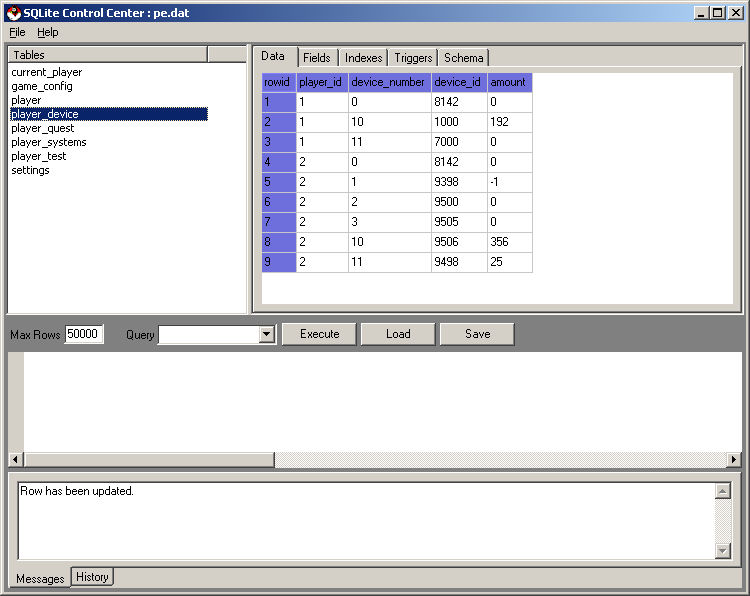
If you want to replenish ammo in a device listed in player device, you may click in a field under the "amount" column and change it's value.

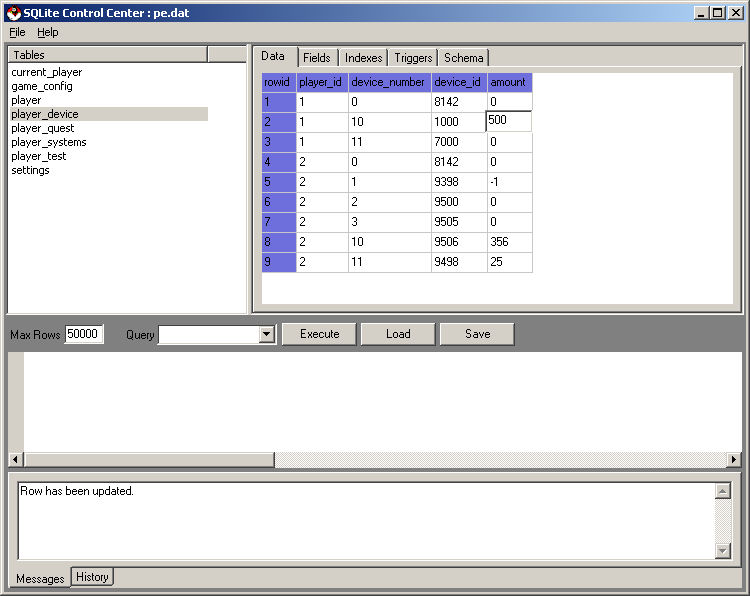
You've just changed the number of ammo on that weapon to 500. The same thing can be done using SQL. See the SQL Tutorial page for more details. INSERT statements can be used to give your player new weapons. Changing the device_id can make your weapons some other weapon as listed in the device_main table in the epoch.dat file.
©2005 Battleline Games
Contact Us: Support@EpochStar.com