
Data File Hacks
In Epoch Star, game data is stored in a data file named
epoch.dat. This file can be found in the config directory under
the main Epoch Star install directory. The epoch.dat file can
be modified using any program capable of editing SQLite files
(see www.sqlite.org for more information), but for our tutorials
we will be using a program called SQLiteCC (SQLite Control
Center) available for download at
sqlitecc.sourceforge.net. After you download SqliteCC,
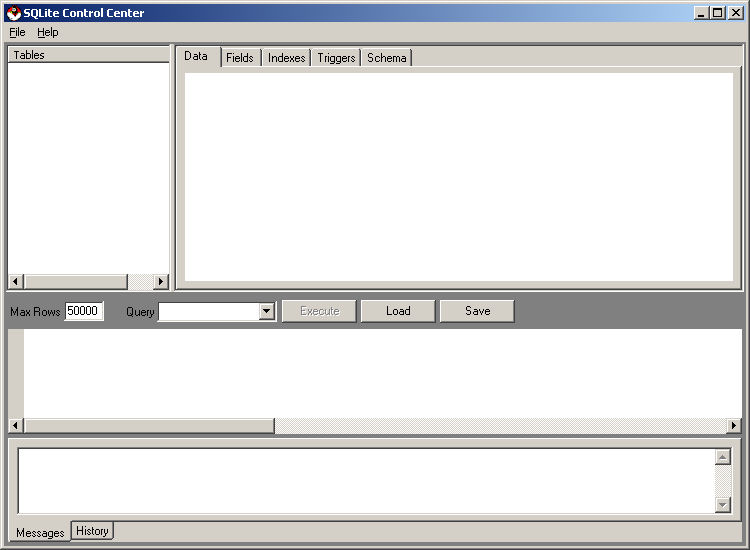
double clicking on the executable will bring up the following
window.
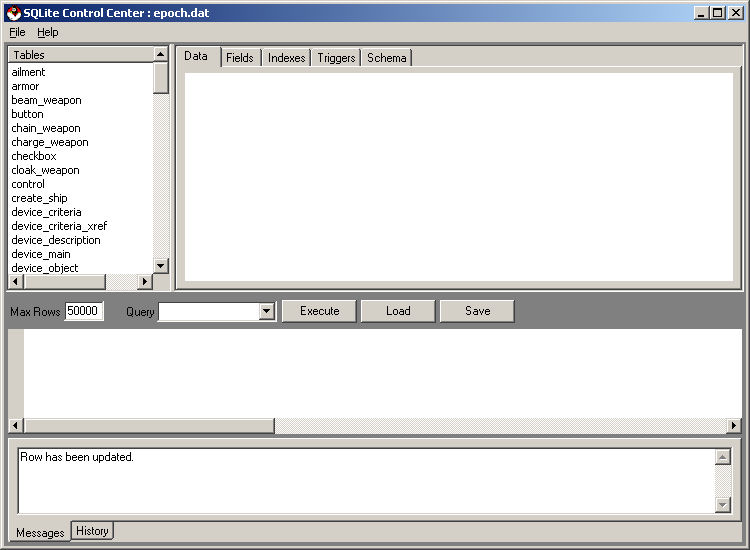
In the top left menu select File->Open, then navigate to your Epoch Star install directory (the default install directory is "C:\Program Files\EpochStar") then navigate the the Config directory under the EpochStar directory, then you can open the epoch.dat file. Here is what SQLiteCC looks like with the epoch.dat file open.
In the top left section of the window is a section called "Tables". These are SQL tables, they will be discussed in more detail in the SQL Tutorial.
The tables listed in the window above each track various game information in Epoch Star.
- ailment - This table is used to set up ailment and bonus effects.
- armor - This table is used to define armor device attributes.
- beam_weapon - This table is used to define beam weapon (lasers) attributes.
- button - DO NOT CHANGE THIS TABLE!
- chain_weapon - This table is used to chain weapons together, as in the case of siege weapons. A chained weapon launches when the first weapon finishes.
- charge_weapon - Config charge weapons such as engine boosters or shield chargers.
- checkbox - DO NOT CHANGE THIS TABLE!
- cloak_weapon - Config for cloaking devices.
- control - DO NOT CHANGE THIS TABLE!
- create_ship - Config for the starting weapons and devices on the ships you create at the beginning of the game.
- device_criteria & device_criteria_xref - These tables are used to set up the requirements to equip weapons and devices.
- device_description - This table defines the descriptions of the devices and weapons in the game.
- device_main - Every device in the game has an entry in this table. The device_id column is used as a key into other tables like armor, shields, and beam_weapon.
- device_object - This table defines objects that appear in space that if picked up give you a device.
- device_particles - This table defines particles that will be released when a weapon or device is used.
- drag_button - DO NOT CHANGE THIS TABLE!
- engine - This table is used to define engine device attributes.
- font - DO NOT CHANGE THIS TABLE!
- fountain_object - This table defines objects that appear in space that spew particles and cannon fire.
- galaxy - This table is for future use.
- goto_object - Goto objects are used in missions to indicate a position the player ship must go to.
- device_object - This table defines objects that appear in space that if picked up give you additional health.
- host - This table is for future use.
- lead_ship_ai - This defines lead ships in NPC formations. The lead ships have a path associated with them and other NPC characters in it's group follow it.
- lead_ship_message - This defines a message the lead ship will communicate with the player when the player gets in range to hear it.
- mesh - This table is used to define 3D mesh files (.x files) for use in the game.
- mine_object - This table defines mine objects in space that explode if a player character gets too close to them.
- mine_weapon - This table is used to define mine weapon that when used drop mine objects (see above).
- mouse_over_button - DO NOT CHANGE THIS TABLE!
- movie_control - DO NOT CHANGE THIS TABLE!
- nebula_object - This table defines nebulas in space and how much damage they do when a player or NPC wanders into it.
- object - Every object that appears during the game has an entry in this table. The object_id column is used as a key into other tables like nebula_object, lead_ship_ai, and device_object.
- object_control - DO NOT CHANGE THIS TABLE!
- orbit_object - This table contains simple space objects such as asteroids and space debris.
- outpost_object - This table contains defense outposts (turrets) that turn to shoot and player ships and NPCs.
- particle - This table defines particles for the particle system used in explosions and weapon muzzle fire.
- phantom_object - Phantoms are particle emitting objects the pursue ships in space and destroy them when they get close.
- planet_object - Planets
- portal_weapon - This device type is used to generate portals back to the Lustalla System.
- projectile_weapon - These weapons are typically cannon like.
- quest - This table defines the quests (missions) a player can go on while he plays the game.
- quest_alignment - This table defines the class of ship that is able to play a given mission.
- quest_description - NOT CURRENTLY USED
- quest_step - This table defines the steps that must be taken when completing a mission.
- quest_step_conversation - This table defines conversation you will have with an NPC during a quest step.
- quest_step_disabled - Quest steps can be disabled temporarily waiting for an event to occur.
- quest_ties - This table allows you to join various quests together allowing you to create a larger overall quest.
- quest_trigger - This table allows you to create an event that will trigger the start of a quest (mission)
- resource_object - This table defines objects that appear in space that if picked up give the player resources (compounds).
- scaffold_object - Long floating barriers in space used to block off areas or otherwise create obsticles.
- screen - DO NOT CHANGE THIS TABLE!
- shield - This table is used to define shield device attributes.
- ship - This table is used to define different types of ships that appear in the game.
- ship_ai - This table is used to define NPC ships that are subordinate in their battle group.
- ship_description - Gives a description of a ship that appears in the game.
- shockwave_weapon - These weapons are typically explosive in nature.
- slider - DO NOT CHANGE THIS TABLE!
- snap_control - DO NOT CHANGE THIS TABLE!
- sound - This table is used to define sounds (.wav files) that are heard during game play.
- sprite - This table is used to define image files (.png and .jpg files) that are used during game play for sprites and textures.
- sprite_control - DO NOT CHANGE THIS TABLE!
- state_trigger - DO NOT CHANGE THIS TABLE!
- station - This table is used to define the types of stations that appear in the game.
- station_object_xref - This table associates a station with an object making it appear in the game.
- system - This table is used to define a star system and it's location in the galaxy.
- task - Tasks are used by lead ships to define their AI movements and actions.
- text_control - DO NOT CHANGE THIS TABLE!
- upgrade_ship - DO NOT CHANGE THIS TABLE!
©2005 Battleline Games
Contact Us: Support@EpochStar.com