
Modifying The 'player' Table In The pe.dat File
If you open the pe.dat file with SQLiteCC, you'll find a table named 'player'. That table contains configuration data for the ships you've created while playing Epoch Star.
If you open the pe.dat file using SQLiteCC and click on the table 'player' in the top left you will see the following fields displayed on the right side of the window.
- player_id - Key into this table. DO NOT MODIFY THIS FIELD
- object_id - DO NOT MODIFY THIS FIELD
- ship_id - This id corresponds to a ship defined in the ship table in the epoch.dat file. Modifying this number gives you a different ship.
- system_id - This id corresponds to a system defined in the system table in the epoch.dat file. Modifiying this number starts your ship in a different system.
- x_pos - This number is the X location in the system your ship is currently located in.
- y_pos - This number is the Y location in the system your ship is currently located in.
- credits - The number of credits you currently have on this ship.
- experience - The number of experience points you have earned on this ship.
- com_level - The communication level in your crew's stats.
- eng_level - The engineering level in your crew's stats.
- nav_level - The navigation level in your crew's stats.
- sci_level - The science level in your crew's stats.
- tac_level - The tactical level in your crew's stats.
- level - The experience level of your crew.
- level_up - Unassigned crew points.
- character_name - The name you gave your ship when you created it.
- common_compounds - The number of common compounds in your cargo bay.
- uncommon_compounds - The number of uncommon compounds in your cargo bay.
- rare_compounds - The number of rare compounds in your cargo bay.
- exotic_compounds - The number of exotic compounds in your cargo bay.
- undiscovered_compounds - NOT CURRENTLY IN USE.
- color_mod - NOT CURRENTLY IN USE.
- engine_device_id - The device_id of your ship's engine. This corresponds to an entry in the 'device' table found in the epoch.dat file.
- shield_device_id - The device_id of your ship's shield. This corresponds to an entry in the 'device' table found in the epoch.dat file.
- armor_device_id - The device_id of your ship's armor. This corresponds to an entry in the 'device' table found in the epoch.dat file.
- fuel - The amount of fuel in your fuel tank.
- affiliate - DO NOT MODIFY THIS FIELD.
- next_level - The number of experience points you must get to go up a level.
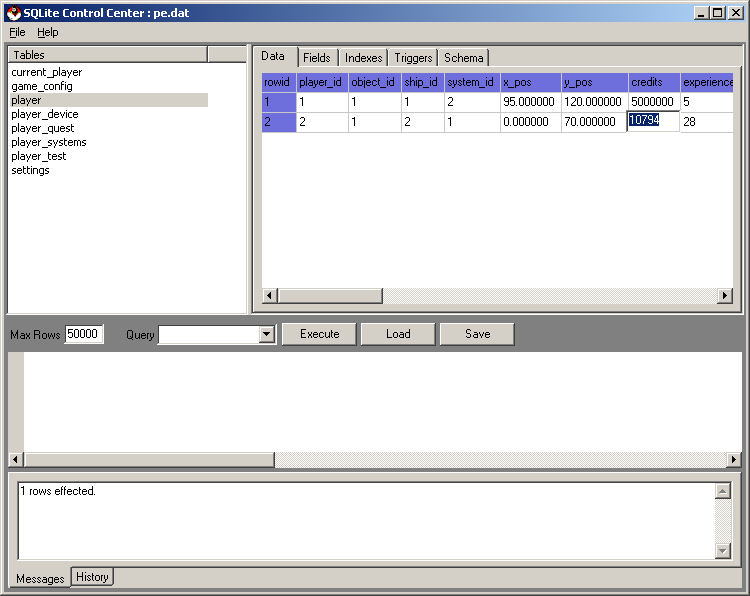
Below is a picture of what SQLiteCC looks like when you've selected the player table.

If you want to update the credits of player 2, you can double click the field in the second row and change the value in it.
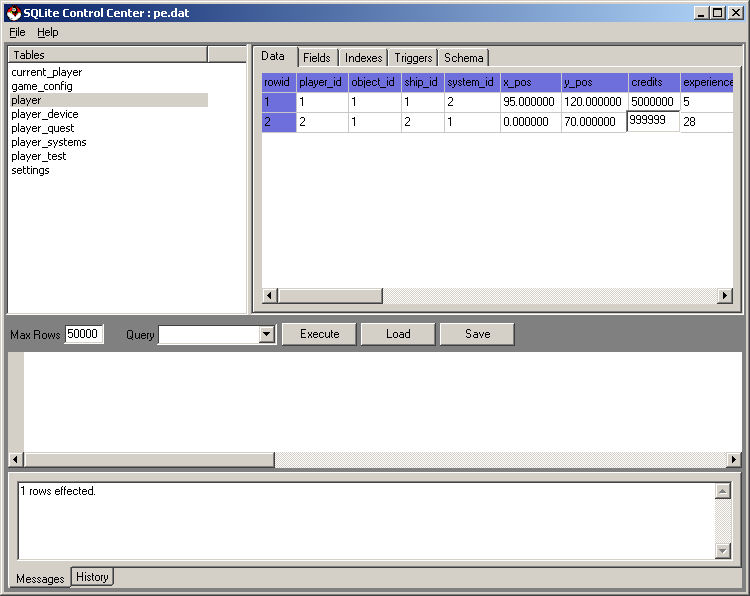
You've just changed the number of credits you have to 999999. The same thing can be done using SQL. See the SQL Tutorial page for more details.
©2005 Battleline Games
Contact Us: Support@EpochStar.com