
Using SQLite for the Galaxy Map
This tutorial will instruct you on modifying the pe.dat file to be able to view all of galaxy map jump gate lines. For general instructions on using SQLite to modify the pe.dat file, please visit the Player File Hacks page.
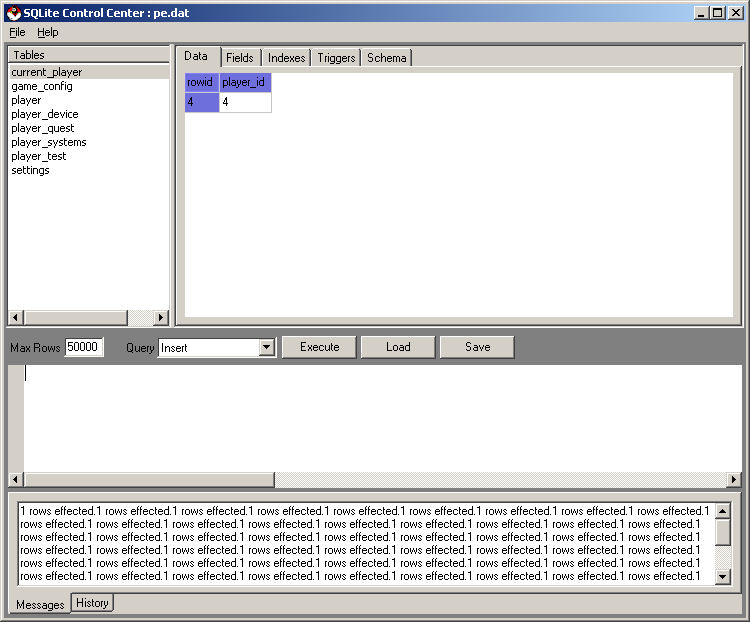
The first thing to do after you have opened the pe.dat file using SQLite is view the current_player table. This table tells you what the player_id of the ship that you have played with most recently. There should only be one row and one column in the table. The screenshot below shows you what this will look like. In the case below, the player_id is 4:
The following code can be executed in sqlite to update the galaxy map for a player with player_id = 4. If the player_id is something other than 4, the first of the two fields in the "VALUES" clause must be updated to that number. For more information on SQL, you can visit our SQL tutorial.
Copy and paste this code (modifying the first number in 'VALUES' if your current player is not 4) into the Sqlite Browser window as shown below.
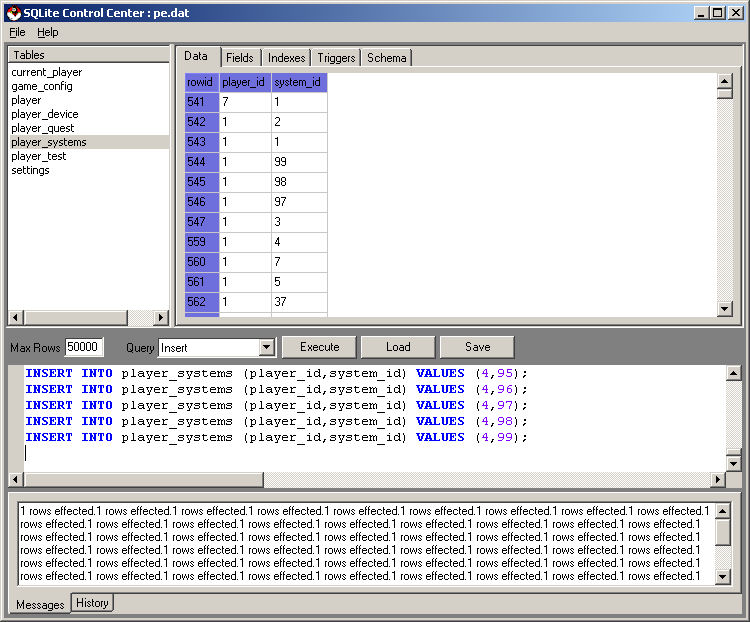
After you have done that, press the 'Execute' button located near the center of your SqliteCC window. This will execute all 100 lines of the code making all of the jump gate lines visible the next time you play Epoch Star.
©2005 Battleline Games
Contact Us: Support@EpochStar.com